
Eight connected workspaces
One traceable path from profile to handoff
Braggsight keeps source bytes, row decisions, recipes, frozen results, reference correspondence, findings, and checksums together in a local casebook.
- 01
Casebook
Separate studies, specimen and instrument context, immutable revisions, findings, and reviewer disposition.
- 02
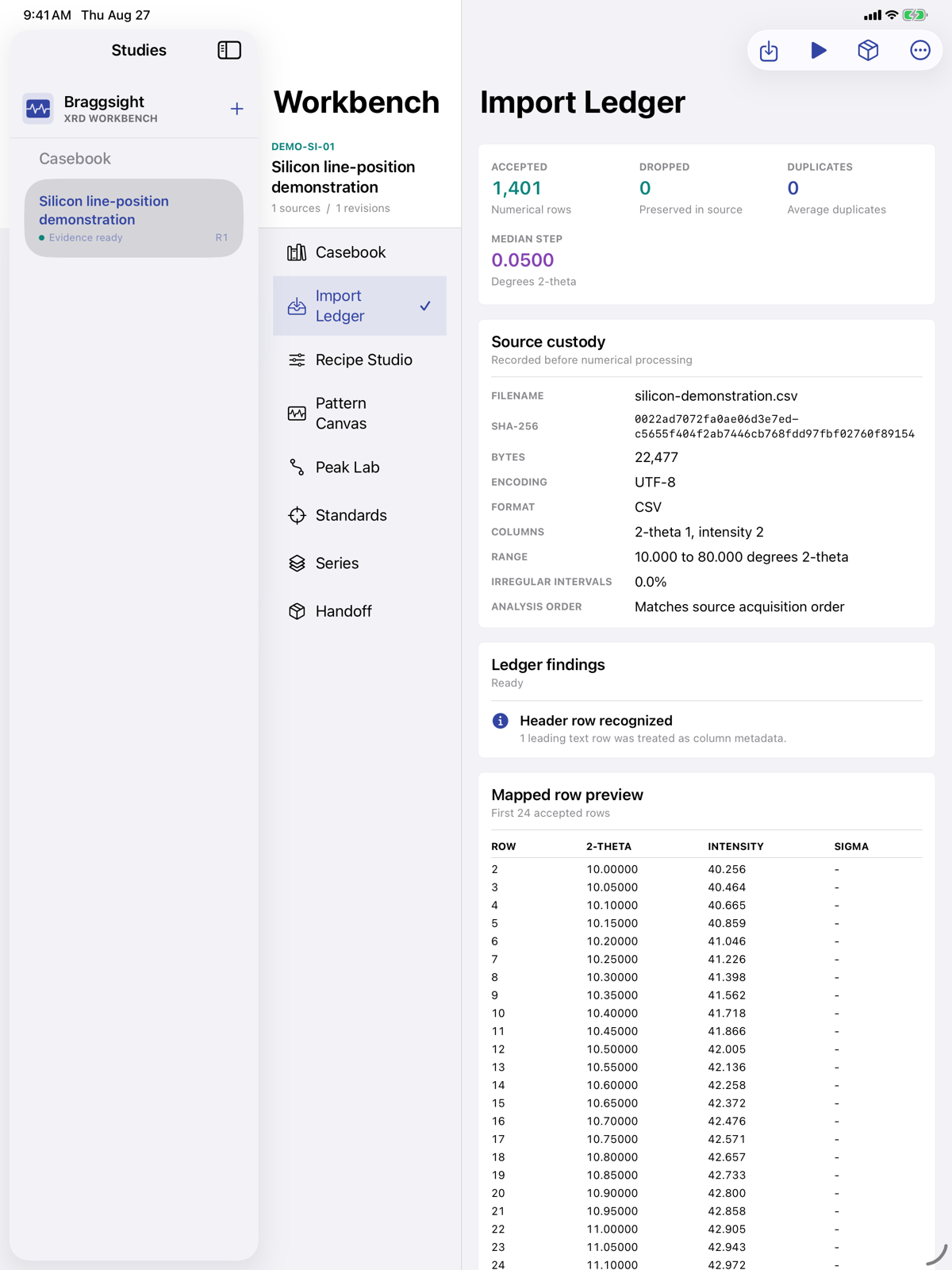
Import Ledger
CSV, TSV, XY, XYE, and text profiles with encoding, row outcomes, duplicate policy, step statistics, and SHA-256 provenance.
- 03
Recipe Studio
Named processing choices for smoothing, background, normalization, angular correction, wavelength, and peak thresholds.
- 04
Pattern Canvas
Touch-controlled observed, corrected, and normalized traces with visible baseline, range, and numerical evidence.
- 05
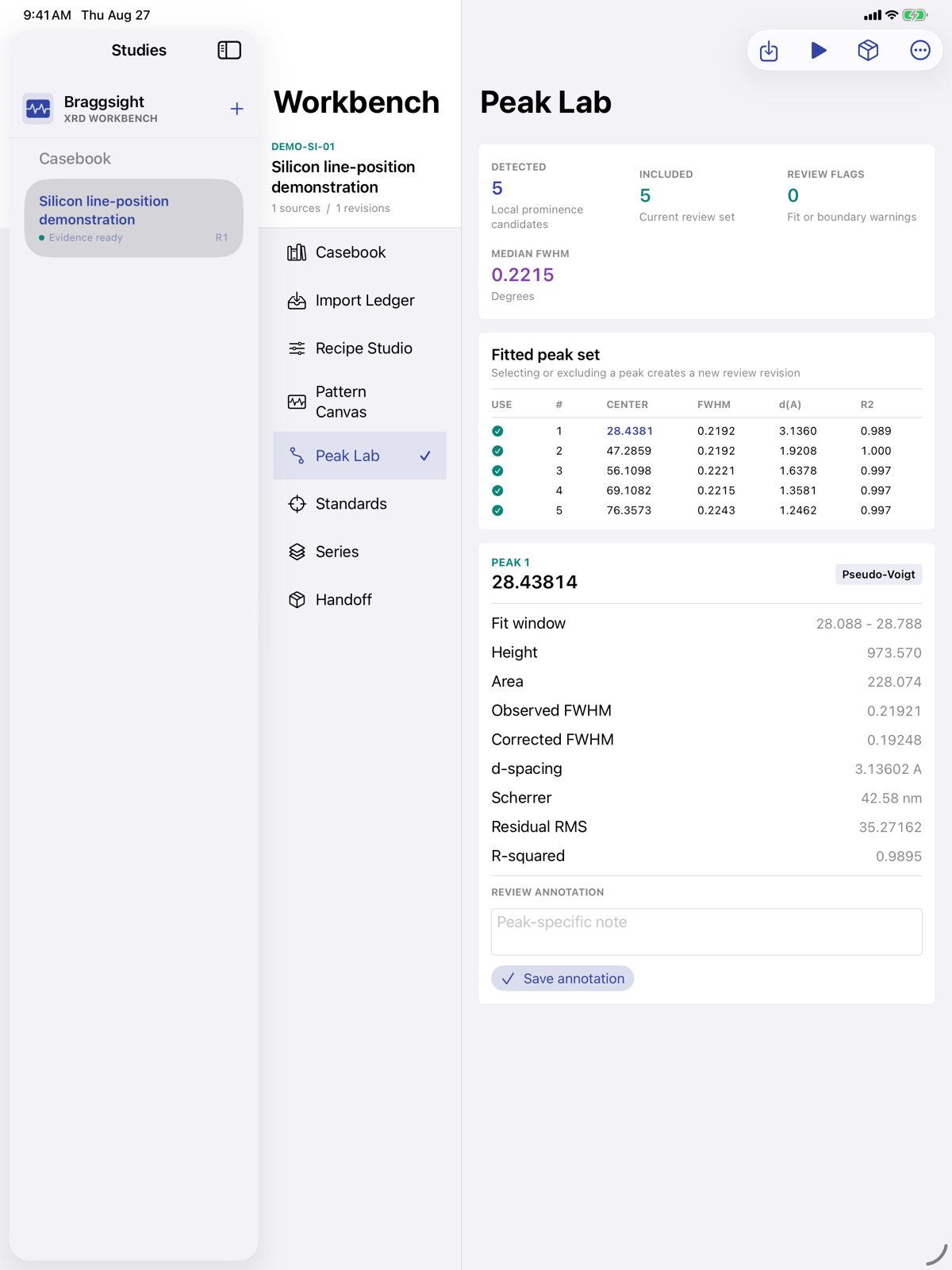
Peak Lab
Bounded fit windows, d-spacing, FWHM, area, fit quality, residual evidence, notes, and guarded width correction.
- 06
Standards & References
Multi-line calibration evidence, user-owned peak lists, and matched, missing, and unexplained correspondence.
- 07
Series & Drift
Compare frozen revisions and trend peak position, width, and area without hiding missing evidence.
- 08
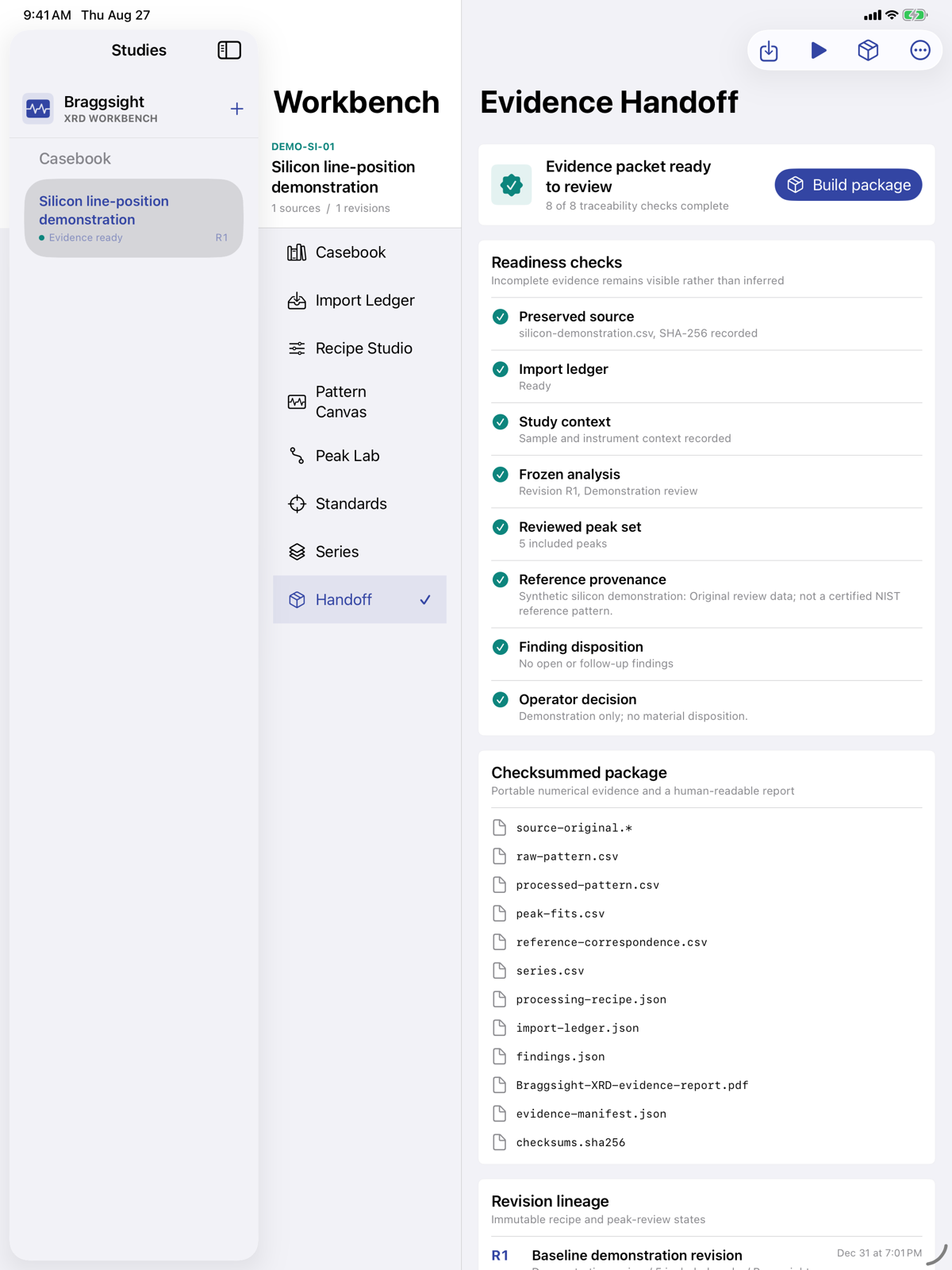
Evidence & Handoff
Build a local PDF, numerical exports, recipes, ledgers, findings, manifest, and SHA-256 checksum list.